
Download Melobytes – Free AI Music, Art & Creative Tools
Overview
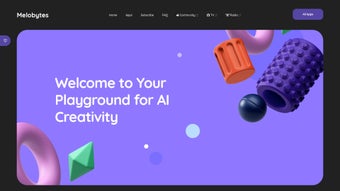
Melobytes is an innovative online platform that brings together more than 100 AI‑powered applications under a single, easy‑to‑use roof. Whether you are a budding musician, a visual artist, or simply someone who loves to experiment with digital creativity, Melobytes offers a playful environment where ideas can be turned into audible or visual results in seconds. The service runs completely in the browser, which means there is no need to install heavy software or manage licenses; a modern web browser is all you need to start generating music tracks, converting text to speech, remixing images, or even creating abstract visualizations from simple input data.
The platform’s community aspect is another strong point. Users can sign up for free, receive a limited number of executions per day, and share their creations on the dedicated Reddit community. This open‑exchange culture encourages collaboration, inspiration, and rapid learning.
For creators who need more freedom, a modest subscription removes daily limits, grants priority processing during peak times, and unlocks premium features such as higher‑resolution outputs and batch processing. While the generated content is not intended for commercial production, Melobytes is perfect for hobbyists, educators, and anyone who wants to explore the frontier of AI‑driven creativity without a steep learning curve or costly software licenses.
Key Features of Melobytes
- Music Generation Suite: Create melodies, beats, and full‑length tracks from a simple seed phrase or humming input. The AI can adapt genres ranging from lo‑fi hip‑hop to cinematic orchestration.
- Text‑to‑Speech Engine: Convert any written paragraph into natural‑sounding speech with multiple voice options, accents, and adjustable speed.
- Image Manipulation Tools: Apply style transfer, color palette swaps, and AI‑driven filters to photos, or generate abstract art from numeric data.
- Audio‑Visual Sync: Pair generated music with visualizers that react in real‑time, perfect for creating quick video backdrops or social‑media snippets.
- Batch Processing: With a subscription, users can queue multiple tasks, allowing large‑scale experiments without manual re‑submission.
- Community Integration: Direct links to the Melobytes Reddit community encourage users to post results, request feedback, and discover trending tools.
- Cross‑Platform Accessibility: All tools run in the browser, making them usable on Windows, macOS, Linux, Android, and iOS devices without additional downloads.
- Secure Cloud Execution: Your data is processed on encrypted servers, and no personal files are stored longer than needed for the task.
- Frequent Updates: The development team releases new AI models and tool enhancements monthly, ensuring the platform stays at the cutting edge.
Installation, Usage & Compatibility
Getting Started – No Download Required
Because Melobytes is a web‑based service, the “installation” process is simply visiting melobytes.com and creating a free account. After confirming your email, you’ll see a dashboard that lists all available AI tools. Each tool presents a clean, intuitive interface: upload a file, type a prompt, or adjust sliders, then click “Generate.” The result appears within seconds, and you can download the output directly to your device.
Step‑by‑Step Usage Guide
- Create an account: Sign up with an email address or use a Google/Apple login for faster access.
- Select a tool: Browse the menu—Music Generator, Speech Synthesizer, Image Transformer, etc.
- Provide input: This could be a text prompt, an audio clip, or an image file depending on the tool.
- Configure options: Choose genre, voice style, resolution, or any other parameter the tool offers.
- Generate: Click the “Run” button. The AI processes your request on the cloud.
- Review & download: Preview the result, make adjustments if needed, then download in your preferred format (MP3, WAV, PNG, MP4, etc.).
Operating System Compatibility
Since Melobytes runs entirely in the browser, it works on any modern operating system that supports HTML5 and JavaScript. This includes:
- Windows 10/11 (Chrome, Edge, Firefox)
- macOS Ventura and later (Safari, Chrome, Firefox)
- Linux distributions with a recent Chromium‑based browser
- Android 8.0+ (Chrome, Firefox, or native WebView)
- iOS 13+ (Safari or Chrome)
The only requirement is a stable internet connection, as all heavy processing is performed on Melobytes’ servers. For the best experience, use a broadband connection with at least 5 Mbps download speed; lower speeds may increase generation time but will not affect output quality.
Pros, Cons & Frequently Asked Questions
Pros
- Completely browser‑based – no installation or heavy system requirements.
- Free tier provides ample daily executions for casual creators.
- Wide variety of tools (music, speech, image) in a single platform.
- Fast, cloud‑powered AI models deliver results in seconds.
- Active community on Reddit for inspiration and troubleshooting.
- Regular updates keep the AI models fresh and relevant.
- Secure processing with encrypted connections and no persistent storage.
Cons
- Free tier limits the number of daily executions, which may frustrate power users.
- Outputs are creative prototypes; they may need polishing for professional use.
- Reliance on internet connectivity; offline usage is not possible.
- Advanced features (higher resolution, batch jobs) are locked behind a subscription.
- Some tools have a learning curve for optimal prompt engineering.
FAQ
Is Melobytes completely free to use?
Melobytes offers a free account with a limited number of executions per day. For unlimited access, priority processing, and premium outputs, a subscription is available at a modest monthly price.
Do I need a powerful computer to run the AI tools?
No. All AI processing occurs on Melobytes’ cloud servers. A standard laptop or even a smartphone with a modern web browser is sufficient.
Can I use the generated content for commercial projects?
The platform’s terms of service allow personal and non‑commercial use of generated assets. For commercial purposes, you should review the licensing agreement or consider purchasing a commercial license if available.
How secure is my data when I upload files?
All uploads are transmitted over HTTPS and processed on encrypted servers. Files are deleted after the task completes, and Melobytes does not retain personal data beyond the session.
What browsers are recommended for the best experience?
Google Chrome, Mozilla Firefox, Microsoft Edge, and Apple Safari (latest versions) provide full compatibility. Older browsers may experience slower performance or limited feature support.
Conclusion & Call to Action
Melobytes stands out as a versatile, browser‑based playground for anyone interested in AI‑assisted creativity. Its extensive toolset, community focus, and hassle‑free access make it an excellent starting point for musicians, visual artists, and content creators who want to experiment without investing in expensive software licenses. While the free tier imposes daily limits and the outputs may require refinement for professional projects, the platform’s ease of use and regular updates provide a compelling value proposition. If you’re ready to explore AI‑driven music, speech, or image generation, sign up for a free account today and let your imagination run wild. For power users who need unlimited runs and higher‑quality assets, consider the affordable subscription to unlock the full potential of Melobytes.
Overall Rating: 4.5 / 5
Pros: Browser‑based, diverse toolset, active community, fast cloud processing.
Cons: Free tier limits, commercial use restrictions, internet‑only.






